Infrastructure-Based Monitoring Tips for Provincial Filipino Workers

Monitoring remote workers in the Philippines requires more than just installing employee monitoring software—it demands an approach that respects local conditions, especially in provincial areas. Many remote employees work in regions with unstable internet, frequent power outages, and limited access to advanced equipment, which affects how well employee monitoring tools function.
Some standard monitoring software may not perform optimally in regions with inconsistent infrastructure, such as rural areas in the Philippines, leading to inaccurate data, delays, and user frustration. Businesses monitoring productivity or tracking hours worked must adapt their monitoring practices to match local infrastructure, reduce security risks, and protect sensitive data. The goal is to build respectful, effective, and transparent systems that support a productive workforce while maintaining trust.
Understand Regional Infrastructure Challenges in the Philippines
Monitoring remote workers in the Philippines means recognizing that not all areas have the same resources. Many remote employees in provincial regions face infrastructure realities that are different from those in Metro Manila.
Common Issues in Provincial and Residential Areas
Remote work in rural parts of the Philippines comes with challenges that can affect employee performance and the accuracy of monitoring software. These infrastructure gaps can limit how well businesses track work hours or monitor user activity.
-
**Some provincial areas **experience power interruptions, particularly during scheduled maintenance or extreme weather events.
-
Typhoon disruptions can cause extended blackouts and network loss, making it hard for remote employees to stay connected or meet deadlines.
-
Limited ISP options mean lower internet speeds, unstable connections, and poor support, making real-time employee monitoring harder to sustain.
How These Impact Time Tracking, Availability, and Deliverables
Unstable infrastructure causes time-tracking gaps, affects remote work performance, and delays task completion. A dropped connection during time spent working can lead to missing user activity data or incomplete reports.
These problems affect how teams monitor project progress, manage employee productivity, and allocate resources efficiently. Without backup systems, even a productive worker may seem idle or unresponsive, creating confusion and tension.
Why Manila-Based Solutions Don’t Always Apply
Most employee monitoring software is built for teams with strong internet and constant uptime. Solutions that work in Metro Manila—where work environments have more stable connections and fewer power issues—often break down in provincial settings.
Features like keystroke monitoring, screen capture, or live dashboards can fail when the internet drops, leaving gaps in user activity monitoring or tracking time. Companies must avoid applying one-size-fits-all monitoring practices that don’t reflect how businesses operate across varied Philippine regions.

Key Principles for Infrastructure-Sensitive Monitoring
Building fair and reliable systems for monitoring remote workers in the Philippines requires different priorities than traditional setups. Respect for conditions and employee well-being is key.
Focus on Deliverables, Not Real-Time Activity
In areas with power or internet instability, monitoring project progress through outputs is more reliable than constant surveillance. Tracking completed tasks and deliverables helps measure productivity without relying on real-time data. This also protects personal space and encourages work-life balance, as workers don’t feel watched every second.
Prioritize Low-Bandwidth and Offline-Capable Tools
Remote employee monitoring must adapt to internet limitations. Choose time-tracking software and collaboration tools that work with low data use and can store information offline.
These features support offline use and may help teams gather insights even with limited bandwidth. It also reduces risk when tracking time in areas with signal drops or outages.
Allow Flexibility in How Check-Ins Are Completed
Remote work settings benefit from check-in options that don’t depend solely on live video calls. Daily updates can be shared using messaging apps, project management tools, or shared docs.
This approach makes monitoring productivity and task completion easier, even during disruptions, while supporting open communication and mental health support.
Build Systems That Assume Outages—Not Punish Them
Remote work in provincial areas means interruptions will happen. Monitoring software must be set up to log user activity when possible and sync once the connection returns.
Systems that penalize idle time or gaps without context cause frustration and reduce job satisfaction. Instead, maintain transparency and use regular training sessions to prepare teams for expected disruptions while protecting sensitive information.

Recommended Tools for Provincial Filipino Remote Teams
The best tools for monitoring remote workers in the Philippines are user-friendly, lightweight, and designed for low-bandwidth or offline use.
Toggl – Lightweight, Offline Time Tracking
Toggl is a time-tracking tool that works well in rural locations because it allows offline tracking. Time spent on tasks is saved locally and syncs when internet is available. It’s easy to use and doesn’t require heavy bandwidth, making it ideal for tracking hours worked and generating detailed reports in remote work environments.
Time Doctor – Resilient and Trusted Locally
Time Doctor is a popular employee monitoring option that supports use in low-connectivity environments, including teams based in the Philippines. It tracks user activity, idle time, and task management details while offering a user-friendly interface. Time Doctor also supports data security and helps monitor productivity without overwhelming provincial systems.
Google Docs + Notion – Async Updates and Low Data Use
Google Docs and Notion are ideal for remote work because they allow asynchronous check-ins and updates. These tools use minimal data, support real-time collaboration when available, and keep detailed records of project progress. They help teams enforce compliance, document key performance indicators, and stay focused without needing constant connection.
Slack with SMS Fallback – For Delayed or Backup Messaging
Slack is a powerful communication platform, and teams may pair it with SMS tools to ensure updates reach workers during outages. This setup helps maintain communication continuity, reduces the chance of missed updates during outages, and keeps remote teams aligned during outages. It also protects employee productivity by offering multiple ways to stay connected.
Loom and ClickUp – For Async Reporting and Progress Updates
Loom allows remote employees to record video updates instead of live calls, saving bandwidth while preserving tone. ClickUp supports task management and user activity monitoring while being adaptable to slower connections. Together, these tools provide detailed reports and help monitor project progress in a way that supports work-life balance and respects regional realities.

Create a Monitoring Workflow That Accounts for Interruptions
Remote workers in the Philippines, especially in provincial areas, often face power outages and unstable internet. A strong monitoring system should be built to handle these realities without hurting productivity or employee morale.
Step 1 – Use Flexible Deadlines with Checkpoints
Flexible deadlines help remote employees manage work hours more effectively during outages. Break large tasks into smaller parts and add mid-point checkpoints to monitor project progress. This structure improves task management, helps track time spent realistically, and allows team members to report updates without pressure from sudden disruptions.
Step 2 – Establish Backup Reporting Protocols (SMS/Email)
Set up fallback methods such as SMS or email when messaging apps or monitoring software go down. These backup channels keep communication open and help maintain transparency, especially when working with sensitive data or meeting regulatory compliance. They also ensure user activity updates continue even if tools like project management systems or time-tracking software become unavailable.
Step 3 – Track Outputs, Not Screen Time
Focusing on deliverables instead of screen activity creates a more productive workforce. Monitor productivity based on task completion and project outcomes rather than relying on keystroke monitoring or live user activity data. This respects personal space, improves work-life balance, and helps businesses measure productivity more accurately in remote work settings.
Step 4 – Review Data Weekly, Not Hourly
Weekly reviews of employee performance and user activity monitoring give a clearer view of trends without overwhelming workers. Hourly monitoring increases pressure and can misrepresent remote work performance during technical disruptions. Reviewing time-tracking data and detailed reports once a week helps identify issues while still supporting employee productivity and mental health support.

Equip Your Team to Succeed Despite Infrastructure Limits
Good monitoring practices include giving your team tools and support to stay productive through outages and connection issues.
Offer Equipment Stipends or Backup Internet Support
Providing stipends for backup internet or basic equipment can help remote workers stay connected during service disruptions. This is especially useful when employees work remotely in areas with limited ISP options. Supporting stronger setups improves employee monitoring results and protects sensitive information during peak workloads.
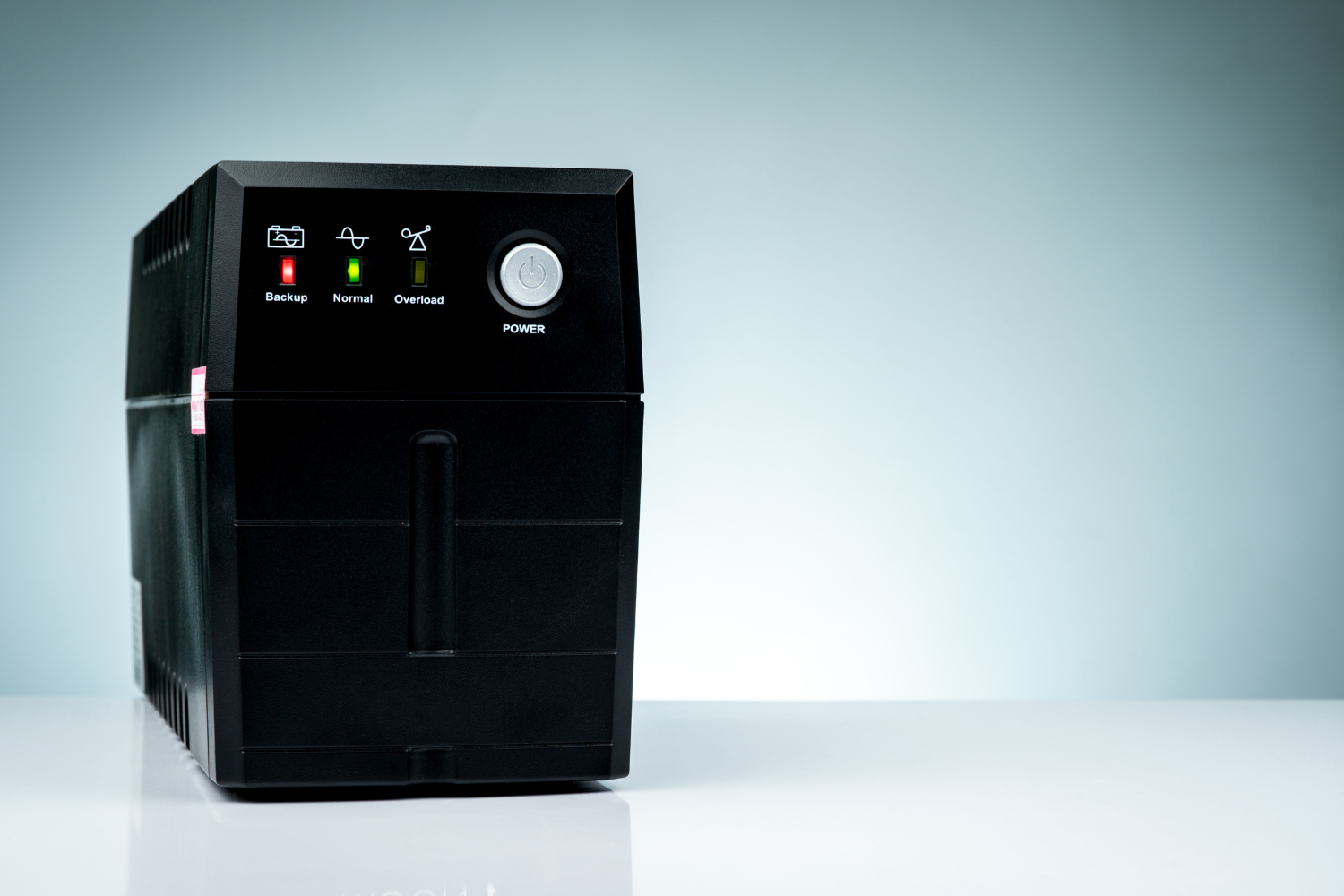
Consider UPS Devices for Roles Requiring Real-Time Work
For jobs that depend on continuous uptime—like customer support or data security roles—UPS (Uninterruptible Power Supply) devices are useful. They prevent data loss and maintain access to employee monitoring software during brief power interruptions. These devices also help teams maintain device uptime and reduce risk of data loss during power interruptions.
Set Expectations During Onboarding About Infrastructure Realities
During onboarding, explain how your company handles remote work environment issues like internet loss or power outages. Let new hires know how to track hours worked, send updates, and follow company policies when facing interruptions. This clarity helps remote employees follow monitoring practices while balancing personal lives and staying focused on task completion.
Create Culture-Based Trust Systems, Not Surveillance
According to some employee feedback studies, excessive monitoring may contribute to decreased job satisfaction. Instead, use monitoring software that builds trust through open communication, detailed reports, and fair performance tracking.
Encourage remote workforce members to stay engaged through virtual team building activities, regular training sessions, and project updates—not constant user activity tracking. This approach supports a more respectful, secure, and productive monitoring setup.
Monitor with Flexibility, Lead with Empathy
Monitoring remote workers in the Philippines works best when systems match the local infrastructure. Using output-based tracking instead of real-time surveillance helps build trust and encourage work-life balance, especially for provincial teams facing power or internet issues.
Combining smart monitoring software with empathy creates a more effective and respectful remote work environment. This approach helps businesses monitor project progress, ensure security measures, and support a productive workforce without overstepping personal space or adding stress to remote employees.
Frequently Asked Questions
What’s the best time-tracking tool for an unstable internet?
Toggl is reliable for tracking time offline and syncing later when the connection returns.
How can I monitor workers in rural areas without micromanaging?
Focus on deliverables and use project management tools that track task completion instead of screen time.
Should I give allowances for power or Wi-Fi issues in the Philippines?
Yes, offering support for internet or equipment helps maintain productivity and protect sensitive data.
How do I track productivity without live surveillance tools?
Use time-tracking software and key performance indicators focusing on results, not constant user activity.
What tools support offline or low-data monitoring in the Philippines?
Toggl, Time Doctor, Google Docs, Notion, and Loom are all suited for low-bandwidth or offline updates.
References*
-
Department of Energy (DOE). (2022). 2022 Power Situation Report. https://legacy.doe.gov.ph/power-sector-situation
-
Department of Information and Communications Technology (DICT). (n.d.). National Broadband Plan. https://dict.gov.ph/national-broadband-plan
-
Federal Communications Commission. (2024). Internet Access Services Reports. https://www.fcc.gov/internet-access-services-reports
-
Glavin, P., Bierman, A., & Schieman, S. (2024). Private Eyes, They See Your Every Move: Workplace Surveillance and Worker Well-Being. Social currents, 11(4), 327–345. https://doi.org/10.1177/23294965241228874
-
Network Readiness Index. (2024). Advancing the Philippines Digital Infrastructure through PPP Initiatives. https://networkreadinessindex.org/advancing-the-philippine-digital-infrastructure-through-ppp-initiatives/
-
Outsource Accelerator. (2024). Surprising work-from-home statistics of 2025. https://www.outsourceaccelerator.com/articles/work-from-home-statistics/
Enter your email below to get your free Guide to Hiring in the Philippines
SUBMIT